
🏆 Why Builders Pick Nodik
Designed around a real dual-pump borewell controller — not a spec sheet.
Plain HTTPS, No SDK
Three REST calls and you’re online: authenticate, PATCH your state, GET your commands. No broker to run, no library to fight, no board-specific SDK.
Named Fields, Not Virtual Pins
Your device sends {"temp":27.5}. A widget with field temp displays it. Nothing to register, nothing to map, no V7-means-humidity notes to lose.
Five Widget Types
Gauge, chart, switch, slider and map — added from a dropdown, no drag-and-drop puzzle. Units are display-only, so your firmware keeps sending raw numbers.
Rule Alerts + Anomaly Detection
Write thresholds like level < 20, and let Nodik learn each field’s normal range on its own and flag outliers you never thought to write a rule for.
Ask Nodik AI Maker
“Why didn’t the pump run yesterday?” Nodik reads the live state, recent history and alert log and answers in plain language.
AI Firmware Generator Creator
Describe your sensors and pins in a sentence; get a ready-to-flash Arduino sketch already wired to your device’s credentials and the Nodik protocol.
Schedules & Parameters
Morning and evening run times, day-of-week mask, and any numeric parameter pushed as a command — the device applies and saves it locally.
Installable PWA + Push
Add Nodik to your phone’s home screen and get browser or app push notifications, plus email to your account address. No app store required.
🖥️ Every Device, One Screen
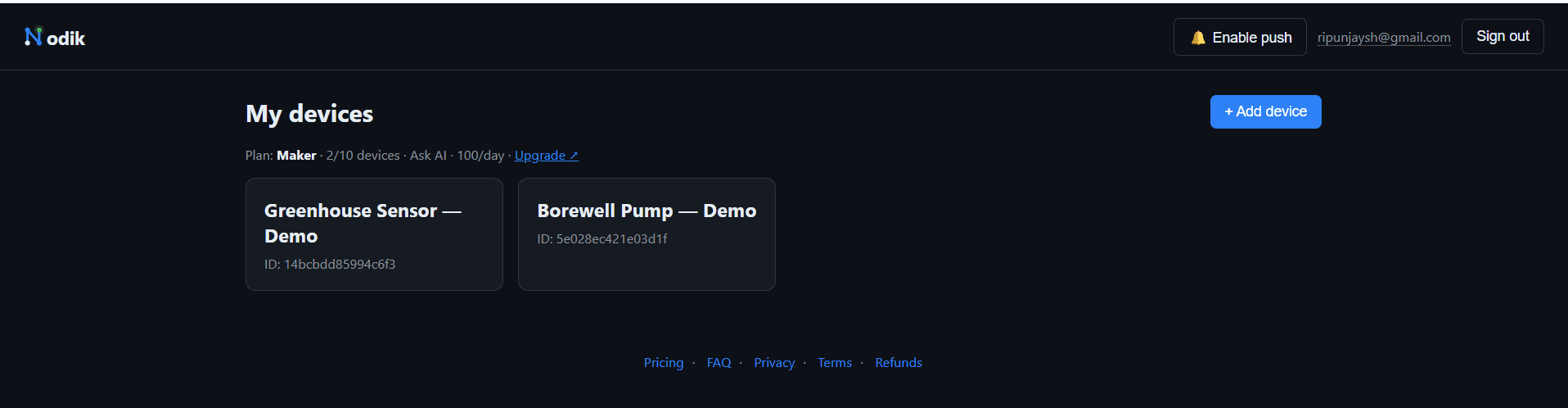
Add a device, get a token once, flash it, and it appears here. Your plan, device count and daily AI quota sit right at the top — no hunting through settings.
🔒 Three Calls. That’s the Whole Integration.
If your board can make an HTTPS request, it can talk to Nodik. Devices authenticate with their own token, push state every few seconds, and poll for commands.
// 1. Boot — exchange your device token for a short-lived ID token
POST  /deviceAuth            {"deviceId":"...", "token":"..."}
// 2. Telemetry — push whatever fields you like, every ~4 s
PATCH /devices/{id}/state.json?auth={idToken}
      {"temp":27.5, "waterPct":68, "pump":0, "rssi":-58}
// 3. Commands — poll every ~2 s and apply the diffs
GET   /devices/{id}/cmd.json?auth={idToken}
📊 Whatever Your Device Sends, You Can See
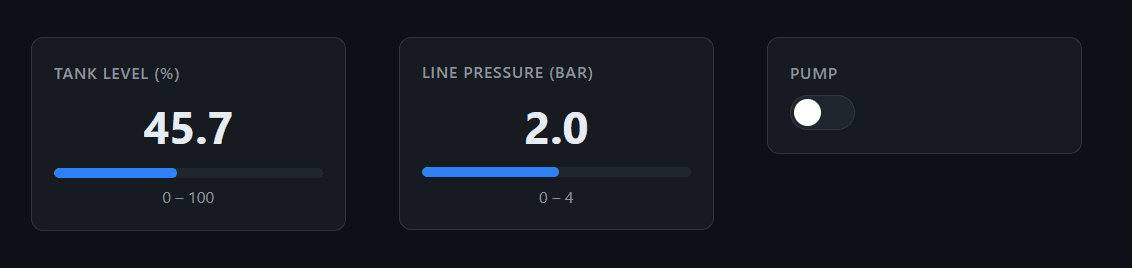
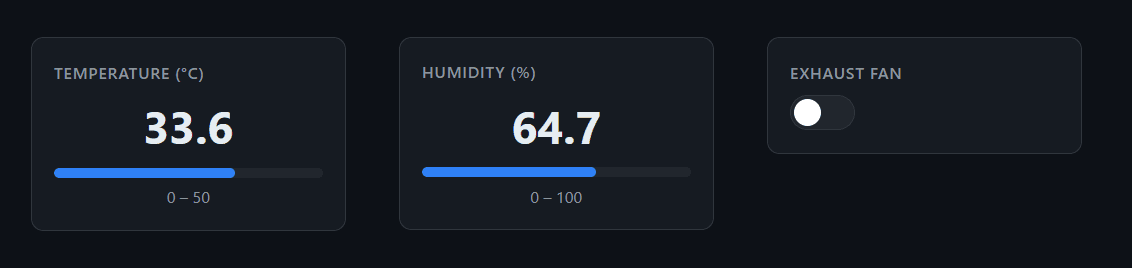
Two real devices, two completely different field sets, the same dashboard. Switches and sliders write straight back to the command channel.


🧩 Build the Dashboard in Ten Seconds
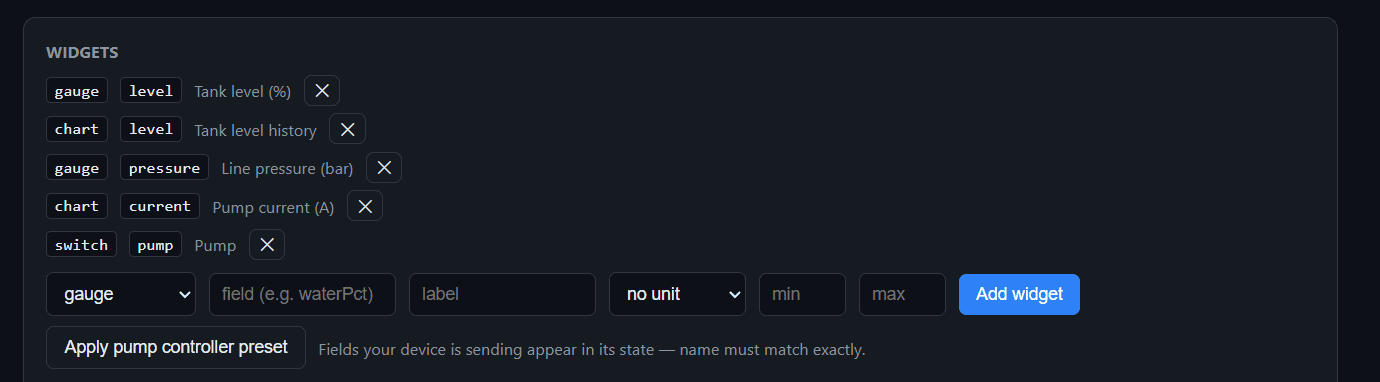
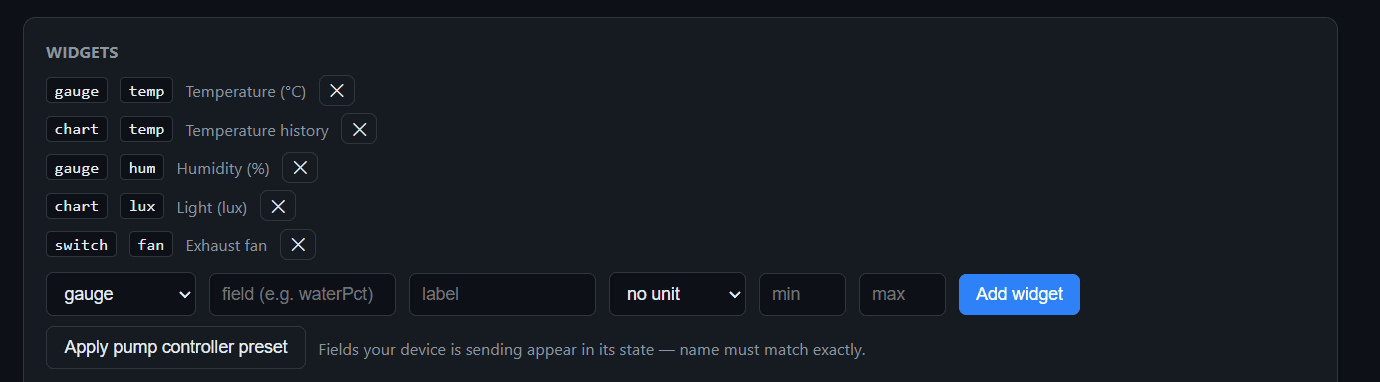
Pick a type, type the field name your firmware sends, label it, set a range. That’s a widget. Remove one with an ×. Building a pump controller? One button applies the whole preset.
- → gauge — a live number with a min/max bar
- → chart — history for that field, throttled server-side
- → switch / slider — write back to the command channel
- → map — plot a device that reports coordinates
🔔 Rules You Write — Plus the Ones You Didn’t
Threshold rules cover what you already know can go wrong. Nodik’s anomaly detection learns each field’s normal behaviour from your own data and flags what falls outside it — no configuration, no training step.

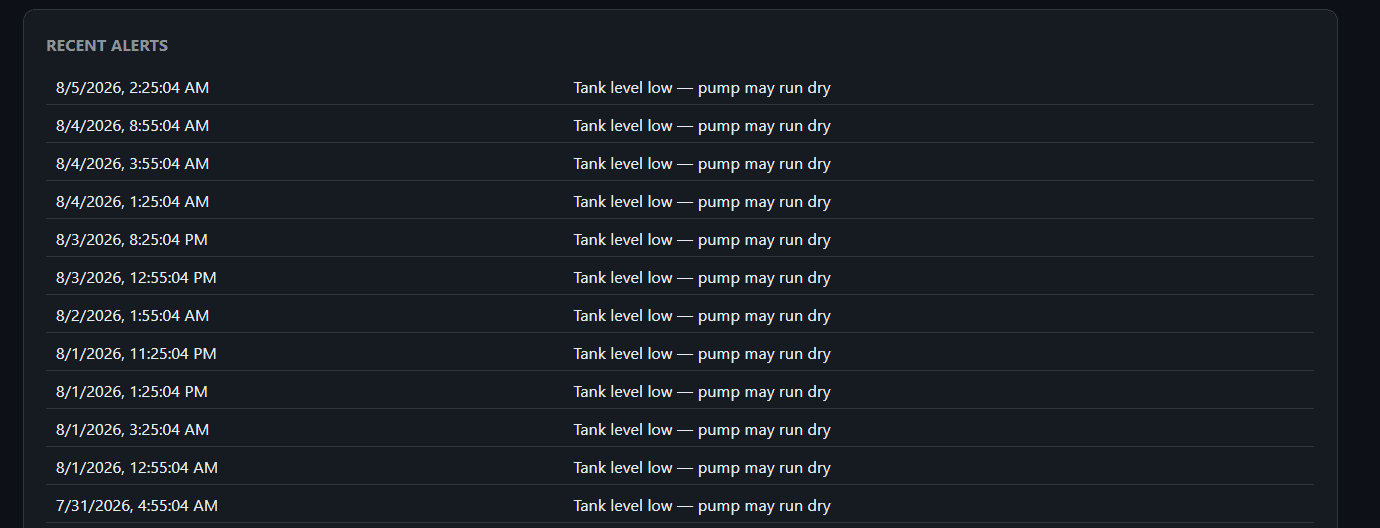
Every alert is logged with a timestamp, so you can see the pattern — not just the last notification you dismissed.
⏰ Change Behaviour Without Reflashing
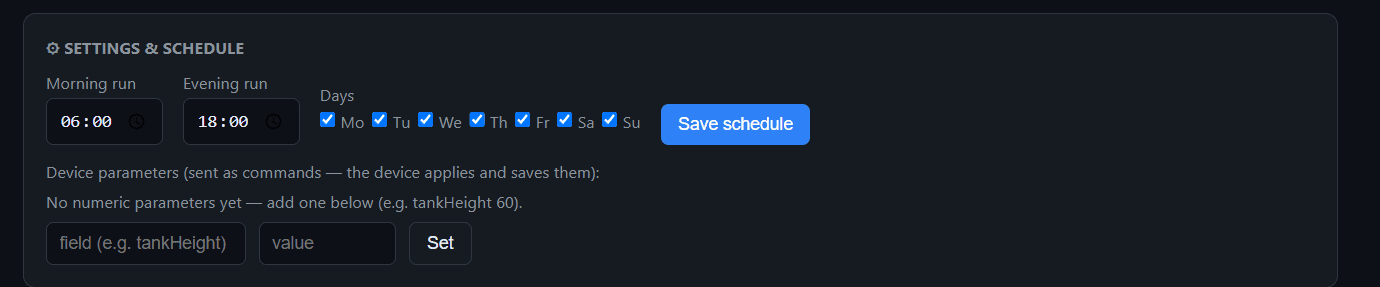
Set morning and evening run times and pick the days. Push any numeric parameter — tank height, minimum flow, a sunlight threshold — as a command; the device applies it and saves it to its own storage.
- → Two run windows plus a day-of-week mask
- → Arbitrary numeric parameters — you name them, the firmware reads them
- → Settings persist on the device, so it keeps working if the network drops
- → One-shot commands (like a test run) reset themselves once acted on
🤖 Ask Your Device Questions. Let AI Write the Firmware.
Two features that only make sense because Nodik already holds your live state, your history and your alerts.
💭 Ask Nodik AI Maker & Creator
It reads the current state, your recent history and the alert log before answering — so “why didn’t the pump run yesterday?” gets a real answer, not a generic one.

🔧 AI Firmware Generator Creator
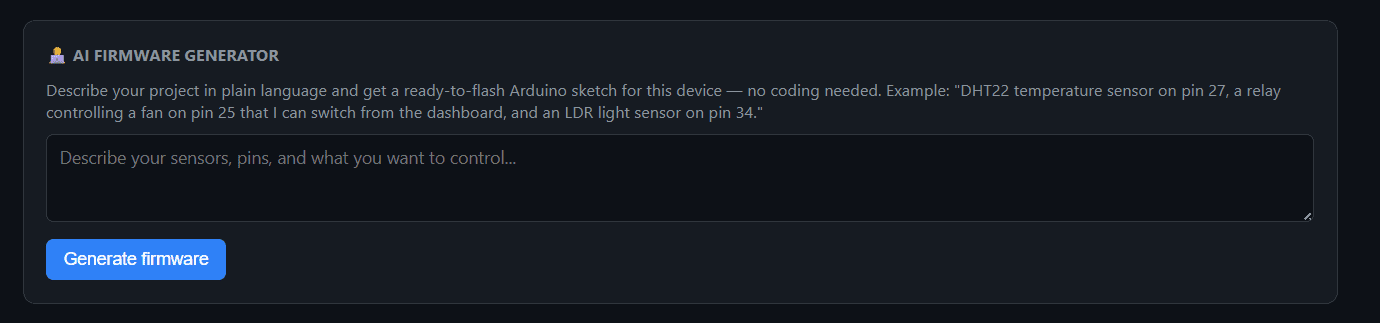
Describe your sensors and pins in plain English. You get a complete .ino sketch with the Nodik connection scaffold already correct — the AI only writes your sensor logic, so the protocol part can’t be hallucinated.
💧 Built Around a Real Dual-Pump Borewell Controller
Nodik wasn’t built from a spec document. Its feature set came from an actual industrial borewell controller — two pumps, an ultrasonic tank sensor, two flow meters, a light sensor for sunrise detection, seasonal schedules, dry-run protection and daily litre tracking. The production controller runs on its own hardware interlocks; a bench replica of the same setup runs on Nodik, so every feature on this page is exercised against real sensor behaviour, not assumptions.
An honest note on safety: Nodik is a monitoring and convenience layer, not a certified control system. Keep your fail-safes on the hardware — contactors, thermal cutouts, float switches — so nothing depends on the cloud being reachable.
🔄 Virtual Pins → Named Fields
The migration is mostly a rename. Wherever your sketch wrote to V3, it now sends "waterPct". Wherever it read V7, it reads "manualPump" from the command object. The dashboard matches on the name, so there’s no mapping table to maintain.
- →
Blynk.virtualWrite(V3, x)becomes a field in your state PATCH - →
BLYNK_WRITE(V7)becomes readingcmd.manualPump - → Edgent provisioning becomes WiFiManager with a captive-portal fallback
- → A worked pin-by-pin migration table ships with the pump controller firmware
What Nodik does not have
Worth knowing before you switch, rather than after:
- ✗ No native iOS/Android app — it’s an installable PWA
- ✗ No cloud OTA firmware pipeline — OTA is done from your own network
- ✗ No drag-and-drop dashboard designer — widgets are a form
- ✗ No MQTT endpoint — HTTPS only, by design
If any of those are dealbreakers, a heavier platform is the right call — and we’d rather you knew now.
🤝 Who Is Nodik For?
People who want their device online this afternoon, not after a weekend of broker configuration.
Four Devices Free. Forever.
The dashboard, widgets, history, alerts and push notifications are the same on every plan. You pay for device count and AI — nothing else is held back.
Prices in USD. Device counts above are the full-speed tier — extra devices keep working at a paced rate rather than being blocked. Sold via Paddle (Merchant of Record) — cancel any time from your receipt email.
⏱️ Online in Four Steps
Add a device
You get a device ID and a token — shown once, stored hashed.
Flash the sketch
Start from the example, or have the AI write it for your sensors.
Add widgets
Name the fields your firmware sends. They light up immediately.
Set alerts
Add a threshold rule, enable push, and stop checking manually.
💬 Stuck on a sensor, or just curious?
Wiring questions, firmware trouble, feature requests — send them over and we’ll reply within 1–2 business days. The FAQ covers the common ones, or email hello@superappsdomain.com.