
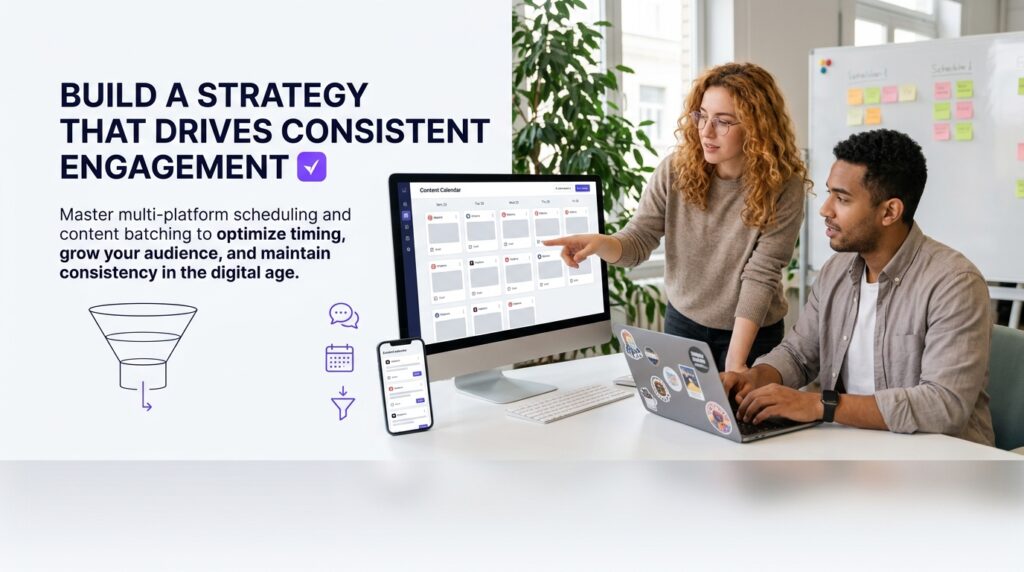
A scheduler social media tool is the single most practical investment a digital marketer, content creator, or small business owner can make to stop the exhausting cycle of last-minute posting. Instead of scrambling to publish content manually every day across Instagram, TikTok, Facebook, LinkedIn, and X, a scheduling tool lets you plan and automate your entire content calendar in advance — freeing up hours every week while keeping your brand visible and consistent. This guide covers everything from how these tools work behind the scenes, to which features actually matter, to the optimal posting windows for every major platform, to the most common mistakes marketers make and exactly how to correct them.
What Is a Social Media Scheduler and Why Every Marketer Needs One
At its core, a social media scheduler is software that connects to your social accounts via official platform APIs and publishes content on your behalf at pre-set times. You upload your images, videos, captions, and hashtags ahead of time, choose your publish date and time, and the tool handles the rest — even while you sleep or focus on other work.
How a Social Media Scheduler Works Behind the Scenes
When you connect accounts to a scheduling platform, you grant it permission through each platform’s official API. The tool stores your content on its servers and sends a publish request at the specified time. For platforms like Instagram and TikTok that have native scheduling APIs, this means fully automated, no-touch publishing. For platforms with more restricted APIs, some tools send a push notification reminding you to manually confirm the post — though this is increasingly rare as platforms open their APIs. Instagram, for example, opened content scheduling to all users through its API in recent years, making fully automated publishing available to every account type regardless of size.
The Real Cost of Manual Posting (Time, Consistency, and Missed Opportunities)
According to Hootsuite’s research on social media automation, social media management consumes a substantial portion of a marketer’s workweek when done manually — time that compounds quickly when you manage multiple platforms simultaneously. Beyond the raw hours, manual posting creates inconsistency. Miss a day because of a meeting, a deadline, or a time zone conflict, and your audience engagement drops measurably. Algorithms on every major platform reward consistency above almost everything else. A scheduler social media strategy eliminates that single point of failure.
Who Benefits Most From Using a Social Media Scheduler
Solo creators managing their own brand, freelancers juggling multiple client accounts, e-commerce brands running campaigns across channels, coaches promoting webinars, and agency teams coordinating approvals across stakeholders — all of these users get outsized returns from social media scheduling. If you post to more than two platforms or publish more than five times per week, a scheduler isn’t optional; it’s how you maintain sanity and quality simultaneously.
Core Features to Look for in a Social Media Content Scheduler
Multi-Platform Support and Native Publishing Capabilities
The most basic requirement for any content scheduler social media users rely on is genuine multi-platform support — not just token connectivity. Look for tools that publish natively to Instagram (Feed, Reels, Stories), TikTok, Facebook (Pages and Groups), LinkedIn (personal and company pages), Pinterest, and X. Native publishing means the tool formats your content correctly for each platform rather than cross-posting the same asset everywhere without adjustment. A square image optimized for Instagram shouldn’t auto-publish to LinkedIn without a crop or caption edit.
Content Calendar Views, Bulk Scheduling, and Queue Management
A visual content calendar is non-negotiable. Monthly and weekly calendar views let you identify gaps, spot content clusters that feel repetitive, and confirm you have balanced coverage across platforms before anything goes live. Bulk scheduling — uploading a CSV or a folder of assets at once — is what makes content batching actually feasible at scale. Queue management, where the tool automatically fills predefined time slots with your pending content, means you don’t have to assign a specific date and time to every single post manually.
Analytics Dashboards and Optimal Posting Time Recommendations
A quality scheduler social media platform doesn’t just publish content — it shows you what happened afterward. Look for engagement metrics broken down by post, platform, and time of day. The best tools overlay this data with recommended posting windows based on your historical performance, not just generic industry benchmarks. This distinction matters: the ideal posting time for a B2B SaaS audience on LinkedIn differs sharply from the optimal window for a lifestyle brand’s Instagram audience in a different time zone.
How to Build a Scheduling Strategy That Drives Consistent Engagement
Content Batching: How to Plan and Schedule a Full Month in One Sitting
Content batching is the practice of creating and scheduling all your content for a defined period — typically two to four weeks — in a single focused work session. Here’s how to execute it effectively:
- Audit your content themes: Define three to five core content pillars that align with your brand. For a fitness coach, those might be workout tips, client transformations, nutrition advice, motivational content, and product promotions.
- Map posts to a calendar template: Assign content types to specific days before you write a single caption. Monday could be educational, Wednesday could be engagement-focused (polls, questions), and Friday could be promotional.
- Produce all assets in one session: Write all captions, resize all images, and export all video clips before opening your scheduler. Switching between creation mode and scheduling mode is where time gets lost.
- Upload and schedule in bulk: Use your scheduler’s bulk upload feature to populate the entire calendar at once. Review the visual calendar view for balance before confirming.
- Reserve slots for real-time content: Leave 20-30% of your posting schedule empty for reactive posts, trending topics, and timely engagement opportunities. Over-scheduling leaves no room for authenticity.
Mapping Your Posting Frequency to Each Platform’s Algorithm
Platform algorithms don’t all reward frequency equally. Instagram rewards consistent posting of Reels — typically three to five times per week — while LinkedIn’s algorithm gives longer content a shelf life of 24 to 48 hours, making two to three posts per week genuinely sufficient. TikTok is a volume game; the platform’s algorithm uses early engagement signals to decide whether to expand reach, so daily or near-daily posting gives you more chances to land on the For You Page. Your social media scheduler should let you set platform-specific queues so your Facebook cadence doesn’t accidentally dictate your TikTok output.
Balancing Evergreen Content With Timely Posts in Your Queue
A well-managed scheduler social media queue mixes evergreen content — posts that are as relevant six months from now as they are today — with timely content tied to trends, seasons, or industry news. A good rule of thumb used by experienced content strategists is a 70/30 split: roughly 70% evergreen, 30% timely. Evergreen content gives you scheduling flexibility and allows recycling (with updates) over time, while timely posts keep your brand feeling current and culturally aware. Your scheduler’s queue management feature should let you flag evergreen posts for automatic recycling while keeping time-sensitive posts set to expire after their publish date.
Best Times to Schedule Posts on Major Social Media Platforms
Platform-by-Platform Breakdown: Instagram, TikTok, Facebook, LinkedIn, and X
According to Sprout Social’s global analysis of posting time data, here are the generally supported optimal windows for each major platform — though these are starting points, not absolutes:
- Instagram: Tuesday through Friday, between 9 AM and 11 AM local time. Reels tend to get additional distribution pushes in early evening windows (7-9 PM).
- TikTok: Tuesday, Thursday, and Friday from 6 AM to 9 AM, and again from 7 PM to 9 PM. The platform’s global audience means multiple posting windows can perform well simultaneously.
- Facebook: Monday through Wednesday from 8 AM to noon. Facebook’s older demographic skews toward morning browsing habits.
- LinkedIn: Tuesday through Thursday from 8 AM to 10 AM and around noon. Professional content performs worst on weekends.
- X (formerly Twitter): Monday through Friday from 8 AM to noon. Breaking news and trending topics can spike engagement outside these windows unpredictably.
How to Use Your Own Audience Data to Refine Posting Windows
Industry benchmarks give you a starting point, but your own analytics are far more valuable. Every major platform’s native analytics shows you when your specific followers are most active. Pull this data after you have at least 30 days of consistent posting, then cross-reference it with your top-performing posts. The intersection — posts that performed above average AND were published during your audience’s peak activity hours — tells you your real optimal window. A scheduler social media platform with robust analytics will surface this automatically, saving you the manual analysis.
Scheduling Across Time Zones Without Losing Reach or Engagement
For brands with global audiences, time zone management is one of the most underrated features of a scheduler. Look for tools that let you set posting times relative to your audience’s time zone rather than your own. If your primary Instagram audience is in London and you’re based in Los Angeles, posting at 9 AM your time means your content lands at 5 PM in the UK — not the morning scroll window you intended. The best scheduling platforms let you toggle between time zones at the account level, so every scheduled post auto-adjusts to your audience’s local clock.
Top Social Media Scheduler Tools Compared for 2024 and Beyond
Free vs. Paid Schedulers: What You Actually Get at Each Tier
The free tier of most scheduler social media platforms covers the basics: connecting a handful of accounts, scheduling a limited number of posts per month, and viewing a simplified calendar. Buffer’s free plan, for example, allows three channels and ten scheduled posts per channel. Hootsuite’s free tier has been significantly reduced over the years, making it less viable for active users. Paid tiers unlock bulk scheduling, team access, advanced analytics, first-comment scheduling (useful for hashtag strategies on Instagram), and AI-assisted caption suggestions. For anyone publishing more than 20 posts per month across three or more platforms, a paid plan typically pays for itself in time savings within the first week of use.
Best Schedulers for Solo Creators vs. Marketing Teams
Solo creators generally need simplicity, mobile access, and affordable pricing. Later and Buffer are well-suited here — both offer clean interfaces and strong Instagram-native features. Marketing teams need workflow features: multi-user access, content approval flows, client-facing calendars, and role-based permissions. Sprout Social and Planable are built with team collaboration as a core feature rather than an afterthought. For startups and growing small businesses that want a streamlined all-in-one option, Sociophile combines content planning and scheduling in a single dashboard designed specifically for teams that don’t have a dedicated social media department yet.
How to Evaluate and Switch Scheduling Tools Without Losing Your Content Strategy
Switching schedulers feels intimidating, but the risk is manageable with a process. Before canceling your current tool, export your scheduled content queue and any analytics data you want to retain. Most platforms allow CSV exports. Reconnect your social accounts to the new tool before your old subscription lapses to ensure uninterrupted publishing. Run both tools in parallel for one to two weeks if your budget allows — schedule the same content in both and compare the publishing accuracy and analytics quality before fully committing. Pay close attention to how the new scheduler social media platform handles Reels and TikTok video uploads, as these formats have the most variation in API support across tools.
Common Social Media Scheduling Mistakes and How to Fix Them
Over-Automating and Neglecting Real-Time Community Engagement
Scheduling solves the content publishing problem, but it doesn’t replace the human side of social media. Brands that fully automate their social presence and then disappear from comment sections and DMs see engagement drop sharply over time, because platform algorithms factor in your responsiveness as a signal of account quality. Set aside 15-20 minutes daily — separate from your batching sessions — specifically for community management. Think of your scheduler social media setup as the broadcast layer, and your daily check-ins as the conversation layer. Both are required for a healthy social presence.
Recycling Content the Wrong Way Across Different Platforms
Cross-posting identical content to every platform simultaneously is one of the most common and damaging mistakes in social media management. A LinkedIn article that references “check the link in bio” makes no sense on LinkedIn, where links work fine in posts. A TikTok video with its watermark cross-posted to Instagram Reels gets actively suppressed by Instagram’s algorithm. The right approach is platform-native repurposing: take the core idea from one piece of content and recreate it natively for each platform. Your scheduler should support platform-specific variations of the same post within a single workflow — if it doesn’t, that’s a significant feature gap.
Ignoring Performance Data When Planning Your Next Scheduling Cycle
A scheduler social media strategy that doesn’t evolve based on performance data is just organized guessing. Before each new batching session, spend 20-30 minutes reviewing the previous cycle’s analytics. Which content types drove the most saves, shares, and profile visits? Which posting times underperformed relative to your audience activity peaks? Use these answers to adjust your content mix and scheduling windows for the next cycle. The brands that grow consistently on social media treat their scheduling calendar as a hypothesis and their analytics as the feedback loop that refines it.
Frequently Asked Questions About Social Media Schedulers
Does scheduling posts hurt reach on Instagram or TikTok?
No — when you use a scheduler social media tool that publishes through the platform’s official API, there is no algorithmic penalty for scheduling. Both Instagram and TikTok have explicitly confirmed that API-based scheduling does not reduce reach. The myth originates from early third-party tools that used unofficial methods to publish, which did trigger suppression. Any reputable modern scheduler uses official API access, making scheduled and manually posted content functionally identical from the algorithm’s perspective.
What is the best free social media scheduler for small businesses?
Buffer’s free plan is consistently cited as one of the most usable free options for small businesses — it supports up to three channels and ten queued posts per channel with no time limit on the free tier. Meta Business Suite is also free and works well for businesses focused exclusively on Facebook and Instagram. For TikTok-specific scheduling, TikTok’s native scheduler (available directly in the app and TikTok Studio) supports scheduling up to ten days in advance at no cost.
How far in advance should you schedule social media content?
Two to four weeks is the practical sweet spot for most brands. Scheduling further out — say, two to three months — risks your queued content becoming irrelevant if industry news, platform trends, or your brand messaging shifts. One to two weeks gives you consistency without enough lead time to batch efficiently. The ideal workflow is a monthly batching session for evergreen content, supplemented by a shorter weekly review session to add timely posts and swap out anything that no longer fits the current context.
Can a social media scheduler post Reels and TikTok videos automatically?
Yes, but with important caveats. Fully automated Reels scheduling requires the Instagram Content Publishing API, which all reputable paid schedulers support. TikTok’s Content Posting API allows automated publishing of videos, though some advanced features — like Duet settings and stitching permissions — may need to be configured manually after publishing. Always test your video scheduler social media workflow with a non-critical post before relying on automation for time-sensitive campaign content like product launches or event promotions.
How do social media schedulers handle multiple team members and approvals?
Team-focused schedulers like Sprout Social, Planable, and Hootsuite (on paid tiers) support role-based access — typically separating content creators, editors, and approvers. A creator drafts content, an editor reviews and edits, and an approver gives final sign-off before anything enters the publishing queue. Some tools support client-facing approval links, where an external stakeholder (a client or legal team) can approve content without needing a full account login. This workflow is a significant upgrade from the email-and-screenshot approval chains that most marketing teams use before adopting a dedicated scheduler. For teams building this process from scratch, pairing a robust scheduler social media tool with a clearly documented content calendar workflow dramatically reduces approval bottlenecks and miscommunication.
Take the next step: Try it free — no credit card required.
Start scheduling your social media content across every platform today — Sociophile makes it effortless for SMBs, creators, and agencies to plan, schedule, and publish from one dashboard.
More in this series
Get new posts by email
Pick the topics you care about — we only email you when something new is published in them.