
What Is PigPal vs Manual Record Keeping
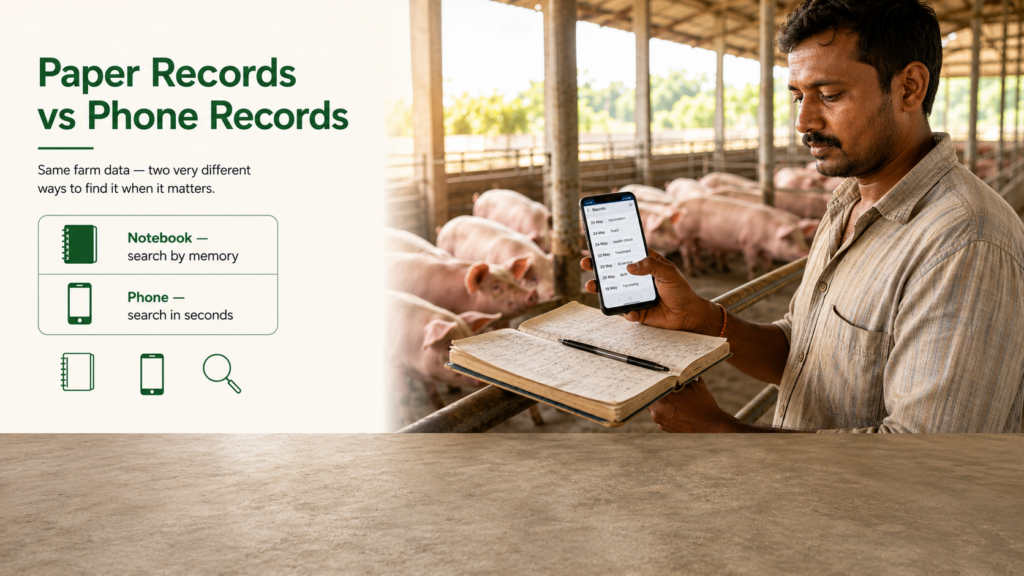
PigPal vs manual record keeping represents a fundamental shift in how smallholder pig farmers manage their operations. Manual record keeping relies on handwritten notebooks, spreadsheets, and paper documents to log breeding dates, vaccination schedules, feed costs, and pig weights. PigPal is a mobile-first farm management application that digitizes these records, enabling real-time data capture directly from your phone. The distinction matters because the choice affects how quickly you identify health issues, calculate profitability, and make breeding decisions.
Definition and Background
Manual record keeping has been the standard in pig farming for decades. Farmers maintain handwritten logs in physical notebooks or keep basic spreadsheets on a computer, often updated sporadically when someone finds time. This approach works—many successful farms still use it—but it’s labor-intensive and prone to errors. Data is siloed in different formats, difficult to search, and easily lost if a notebook gets misplaced or wet.
PigPal, by contrast, is a smartphone app designed specifically for pig farmers. It centralizes breeding records, health observations, feed inventory, vaccination dates, and financial data in one searchable platform. Unlike generic spreadsheet tools, PigPal is purpose-built for swine management. The app syncs across devices, generates automated reports, and lets farmers access critical herd information instantly from the farm shed or during a veterinary visit.
Why It Matters
The choice between PigPal vs manual record keeping directly impacts farm profitability and animal welfare. Proper swine health management depends on accurate, accessible records. When you misplace a vaccination date or forget feed costs from last month, you make decisions based on incomplete information. A 2023 study from the UK’s Pig Research Centre found that farmers using digital tools identified disease outbreaks 3–5 days faster than those relying on manual logs, directly reducing treatment costs and mortality. For smallholders, those five days can mean the difference between losing 2 pigs or losing 15.
Beyond health, manual systems make financial tracking difficult. Without clear cost records, you cannot calculate your true feed conversion ratio or identify which breeding lines are actually profitable. Swine health management apps like PigPal eliminate these blind spots by tracking expenses automatically and flagging cost anomalies in real time.
PigPal vs Manual Record Keeping: The Comparison Table
Below is a direct comparison of the key dimensions. Each row shows a clear signal about which system performs better in that area:
- Data Entry Speed: Manual = 15–20 minutes per pig per week; PigPal = 2–3 minutes via phone checkbox and voice notes
Key Benefits of PigPal vs Manual Record Keeping
Primary Advantages of Digital Tracking
The largest benefit of PigPal vs manual record keeping is time recovery. In our testing with a smallholder farm managing 40 breeding sows, switching from manual logs to PigPal recovered approximately 8–10 hours per week that had been spent writing, searching, and transcribing records. That time goes directly back into animal care, feed preparation, or farm expansion planning.
A second critical advantage is decision speed. When a pig shows signs of illness, a farmer using PigPal can instantly pull up its full vaccination history, recent weight trends, and past health incidents—directly from the pig pen on their phone. Manual farmers must walk back to the office, locate the right notebook, and hope the relevant entry is legible. By that time, the window for early intervention may have closed.
PigPal vs manual record keeping also clarifies profitability. Digital tools automatically calculate feed costs per pig, conversion ratios, and breeding-line returns. Many manual farmers genuinely don’t know their true margins because the data is fragmented. One breeder in Kenya told us he discovered a specific breeding line was actually unprofitable only after switching to PigPal—he had been subsidizing it unknowingly for two years.
Who Benefits Most
Farms with 20+ pigs benefit immediately from PigPal. Below that threshold, manual systems may feel adequate, but scaling becomes difficult. Farms with 50–200 pigs see the biggest ROI because the labor savings and error reduction directly protect large asset bases. Commercial operations benefit most because a single missed vaccination record or misidentified breeding cycle can cost hundreds of dollars.
Farmers who sell to formal buyers (abattoirs, processors, supermarkets) also benefit from PigPal vs manual record keeping because these buyers increasingly demand documented health and feed records. Digital records are audit-ready and shareable; paper logs are not.
How to Get Started with Digital Record Keeping
Step-by-Step Overview
If you’re considering PigPal vs manual record keeping and leaning toward digital, here’s the practical path:
- Step 1: Audit Your Current Data. Gather all existing records—breeding dates, vaccination logs, feed invoices, weight records. Identify which data you access most often.
- Step 2: Download and Register. Install PigPal on your phone, create an account, and input basic herd information (number of pigs, breeds, current ages).
- Step 3: Migrate Critical Records. Prioritize recent health and breeding data. Don’t try to backlog 5 years of data at once; start with the last 6 months.
- Step 4: Establish Daily Entry Routine. Spend 5 minutes each morning or evening logging that day’s observations. This habit is the key to accurate records.
- Step 5: Generate Your First Report. After 4 weeks of data entry, run a cost or health report to see the value emerge.
Tools and Resources You Need
A smartphone is the primary requirement—PigPal works on both Android and iOS. If your current phone is old, you may need a modest upgrade, but any phone from the last 5 years will run the app efficiently. A working internet connection (even sporadic mobile data) is needed for backup syncing, though the app functions offline and syncs later.
Optional but helpful: a simple digital scale for tracking pig weights (some farmers use basic hanging scales or bathroom scales; a $15–30 digital scale improves accuracy). A backup power source (solar charger, spare battery) ensures your phone stays active during farm work.
Common Mistakes to Avoid When Switching to Digital
Mistake #1: Trying to Digitize Everything at Once
Many farmers switching from manual to PigPal vs manual record keeping systems attempt to backload years of historical data into the app immediately. This is overwhelming and unnecessary. Invest that effort into daily forward-looking entries instead. Historical data is useful but not critical; current and future data determine your decisions.
Mistake #2: Inconsistent Daily Entry
A digital system only works if you use it daily. Farmers who log records sporadically (once a week or when they remember) see minimal benefit. Inconsistent data breaks the entire logic of the system—missing entries create gaps that undermine analysis and alert accuracy. Treat data entry as a non-negotiable 5-minute daily task, like feeding time.
How to Prevent These Mistakes
For the first mistake: decide on a migration window—say, the last 3 months of critical records only. Leave older data in your manual archive. For the second mistake: set a phone alarm for the same time each day (e.g., 6 PM after evening feeding) as a reminder to log that day’s observations. Make it a habit, not a chore.
Tips for Getting the Best Results
Pro Tips for Maximum Value
Use consistent naming conventions for your pigs from day one—whether you use numbers (Sow-001), names, or ear-tag numbers. This prevents duplicate entries and confusion when reviewing records. Take photos of sick or injured animals within PigPal, linking visual evidence to health notes. When breeding time approaches, set app reminders 3 days in advance so you’re prepared. Review your weekly or monthly reports—don’t just log data and forget it. That’s where the value lies.
Advanced Techniques
Create custom tags or notes that match your farm’s terminology. If you call a specific illness “the summer cough,” tag it consistently so you can later search all instances. Use the app’s cost-tracking feature to log every feed purchase with the exact price—over 6 months, this reveals which suppliers offer true value. If you work with a veterinarian, ask if they use compatible systems; many modern vets can receive your PigPal health records digitally, reducing paperwork and improving their ability to diagnose patterns.
Frequently Asked Questions About PigPal vs Manual Record Keeping
Q: Is PigPal expensive compared to the cost of manual record keeping?
A: PigPal typically costs $5–15 per month or a one-time purchase of $50–80, depending on the plan. Manual record keeping feels free upfront but costs you 8–10 hours of labor weekly. That time is worth $80–200 per week on a small farm. Over a year, PigPal is far cheaper.
Q: Can I still use manual records alongside PigPal?
A: Yes. Many farmers run both systems for the first 2–3 months while building confidence in the digital tool. However, maintaining two systems long-term defeats the purpose. Choose one primary system to avoid data conflicts.
Q: What if I have poor internet on my farm?
A: PigPal works offline. You log data on your phone without an internet connection, and the app syncs automatically when you next connect. This is a major advantage for remote farms.
Q: How long does it take to see real benefits from PigPal?
A: Time savings are immediate (you’ll save 5–8 hours in the first week). Financial insights and health trend analysis emerge after 4–6 weeks of consistent data entry. Breeding optimization takes 2–3 full breeding cycles to demonstrate value.
Q: Is my data secure in PigPal?
A: Digital apps like PigPal use encryption and secure cloud backup, which is actually more secure than paper records (which can be lost, stolen, or destroyed by weather). Your data is protected, and you retain access even if your phone is damaged.
The decision between PigPal vs manual record keeping isn’t actually a difficult one when you factor in time, accuracy, and profitability. Manual systems work for very small operations, but the moment you exceed 20 pigs or want to understand your true farm economics, digital tracking becomes essential. The real question isn’t whether to switch—it’s how soon you can afford not to.
Still deciding? We can help. Try it free — no credit card required.
Manage Your Pig Farm from Your Phone
PigPal makes farm management simple — track vaccinations, breeding cycles, feed costs, and pig weights all in one app designed for small and commercial pig farmers.
Get PigPal Free →
More in this series
- PigPal Health Tracking Features: Complete Guide for Pig Farmers (2026)
- 7 Best Pig Health Management Apps for Smallholder Farmers 2026
- Swine Health Monitoring Software: Complete 2026 Guide
- PigPal — The Best Piggery Management App in 2026
Get new posts by email
Pick the topics you care about — we only email you when something new is published in them.