
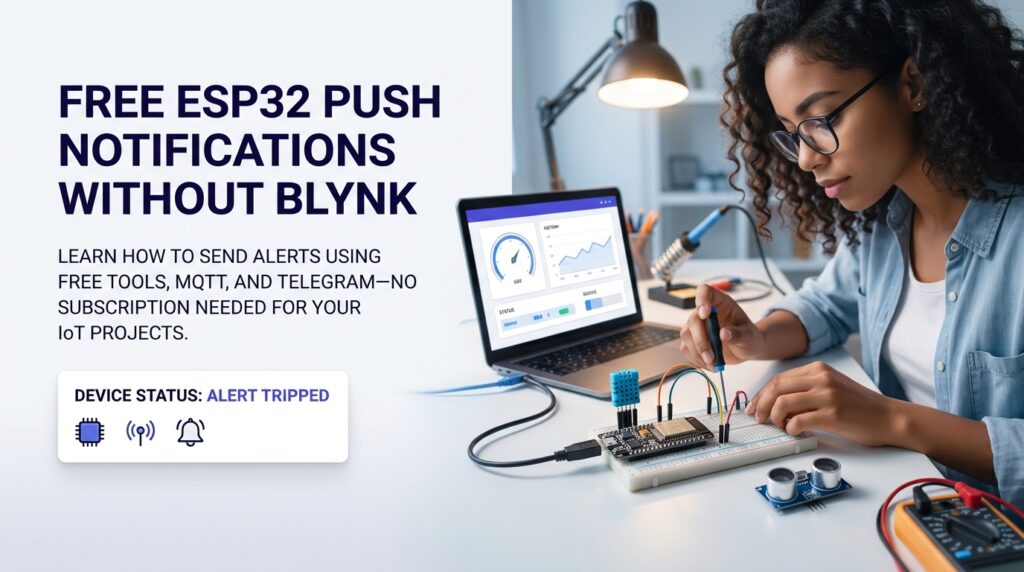
You spent hours wiring up your ESP32, writing the firmware, and finally getting sensor data to appear on screen — only to discover that Blynk’s push notification feature sits behind a paid plan you can’t justify for a hobby project. That frustration is real, and you’re not alone. Sending esp32 push notifications without blynk is not just possible — it’s often simpler and more reliable than the Blynk route once you know the right tools.
What Is ESP32 Push Notifications Without Blynk
Definition and Background
ESP32 push notifications without blynk refers to any method of sending real-time alerts from an ESP32 microcontroller to a phone, browser, or email — without using Blynk’s cloud infrastructure. The ESP32 connects to Wi-Fi and calls an external API or broker directly, triggering a message whenever a sensor crosses a threshold, a button is pressed, or a device changes state. Common delivery channels include Telegram bots, Pushover, MQTT with a free broker, and Home Assistant automations. The MQTT protocol was designed specifically for lightweight machine-to-machine messaging and is a natural fit for microcontrollers with limited resources.
Why It Matters
Blynk introduced paid energy limits and feature paywalls after its 2.0 relaunch, leaving many student projects stranded. According to Blynk’s own limits page, the free tier caps you at five devices, 50 datastreams per template, and just 20 automation push/email notifications per hour — a ceiling that applies to paid plans too, but bites hardest on a busy hobby project. For anyone building a real project — say, a smart plant-watering pot that needs to alert you when soil moisture drops — that paywall kills the core use case. Sending esp32 push notifications without blynk puts that control back in your hands, costs nothing, and removes a single point of failure from a third-party subscription.
Key Benefits of Ditching the Blynk Notification Paywall
Primary Advantages
The biggest win is cost. Free MQTT brokers like HiveMQ’s public cluster or Mosquitto running locally have no usage limits for hobbyist traffic. Telegram’s Bot API is completely free and delivers messages in under a second. Pushover charges a one-time $4.99 fee per platform, which is far cheaper than any recurring SaaS subscription. Beyond money, you also gain flexibility — your ESP32 firmware is not locked to one cloud vendor, so migrating or scaling later is straightforward. If you want a visual dashboard alongside your alerts, Nodik is worth a look — it connects over plain HTTPS with no MQTT broker to set up, and already sends its own push and email alerts from rule-based and AI anomaly detection on top of a free widget-based dashboard, without the Blynk paywall.
Who Benefits Most
Engineering students building capstone projects, self-taught makers running home automation setups, and budget-conscious hobbyists all gain the most from esp32 push notifications without blynk. If your project needs to alert a roommate when the laundry is done, warn you when a freezer temperature rises, or notify a gardener when a plant’s soil dries out — you need reliable notifications, not a subscription tier decision. Check out our best Blynk alternatives guide for a broader look at free platforms that pair well with these notification methods.
How to Get Started: A Telegram Bot Walkthrough
Step-by-Step Overview
The fastest path to esp32 push notifications without blynk uses a Telegram bot. Here is a condensed walkthrough:
- Create a Telegram bot — message @BotFather on Telegram, type /newbot, and save the API token it returns.
- Get your Chat ID — message your new bot, then visit
https://api.telegram.org/bot<TOKEN>/getUpdatesin a browser to find the numeric chat ID. - Add the UniversalTelegramBot library — install it via the Arduino Library Manager alongside ArduinoJson.
- Write the firmware — connect to Wi-Fi, create an HTTPS client, and call
bot.sendMessage(chatID, "Alert: sensor triggered!", "")whenever your condition fires. - Flash and test — upload the sketch, trigger the sensor manually, and confirm the Telegram message arrives on your phone within seconds.
For projects that need more structure — like logging data alongside the alert — swap Telegram for an MQTT broker and subscribe a Node-RED flow or Home Assistant automation to forward messages as mobile notifications. This pattern — soil moisture readings triggering both a dashboard update and an owner alert without a paid cloud service — is common in maker-community plant-watering builds once they move off a subscription platform.
Tools and Resources You Need
- ESP32 development board (any generic 30-pin or 38-pin variant works)
- Arduino IDE or PlatformIO with the ESP32 board package installed
- UniversalTelegramBot library (for Telegram) or PubSubClient (for MQTT)
- A free HiveMQ or Mosquitto broker account if going the MQTT route
- Stable 2.4 GHz Wi-Fi — the ESP32 does not support 5 GHz bands
Common Mistakes to Avoid
Mistake #1: Hardcoding Credentials in Firmware
The most common mistake beginners make when setting up esp32 push notifications without blynk is pasting Wi-Fi passwords and API tokens directly into the sketch and then pushing the code to a public GitHub repository. Anyone who forks that repo now owns your Telegram bot and can spam your phone or exhaust API rate limits.
Mistake #2: Sending Notifications in a Tight Loop
Another frequent error is calling the notification function inside loop() without a debounce timer. If a sensor stays in an alert state, the ESP32 will hammer the Telegram API hundreds of times per minute. Telegram’s Bot API enforces rate limits — the official Telegram Bot FAQ caps broadcast-style sending at roughly 30 messages per second to different users, and warns against sending more than one message per second into the same chat, where you’ll start seeing 429 errors well before that. A tight, undebounced loop() on a busy sensor can hit that same-chat limit in well under a minute.
How to Prevent Them
Store credentials in a separate secrets.h file and add that filename to .gitignore. For rate limiting, use a millis()-based cooldown — set a variable like lastNotifTime and only send a new alert if at least 60,000 milliseconds have passed since the last one. This keeps your esp32 push notifications without blynk setup reliable over long uptime periods.
Tips for Getting the Best Results
Pro Tips
- Use HTTPS for all API calls — plain HTTP exposes your token on the local network.
- Add a watchdog timer so the ESP32 reboots automatically if Wi-Fi drops and the notification loop stalls.
- Test your notification path end-to-end before deploying the device in a hard-to-reach location — sensor wiring failures are easier to debug on a desk than inside a wall panel.
- If you want a side-by-side comparison of free platforms before committing, our Blynk vs Nodik comparison walks through the tradeoffs for ESP32 makers specifically.
Advanced Techniques
Once your basic alert pipeline works, consider adding severity levels to your messages. A temperature sensor might send a yellow-flag warning at 35 °C and a red-flag critical alert at 45 °C, each with a different Telegram message text. You can also chain notifications — publish to an MQTT topic, have Node-RED subscribe and filter, and only push the phone notification if the condition persists for more than two consecutive readings. This layered approach dramatically reduces false alarms and is the hallmark of production-grade esp32 push notifications without blynk setups that hobbyists often overlook.
Frequently Asked Questions About ESP32 Push Notifications Without Blynk
Can I send push notifications from an ESP32 without any cloud service at all?
Yes — if your phone and ESP32 are on the same local network, you can run a local Mosquitto MQTT broker on a Raspberry Pi and receive notifications via a local Home Assistant instance. No internet connection is required for the alert path itself.
Is Telegram safe to use for IoT alerts?
Telegram encrypts messages in transit and its Bot API uses HTTPS. For hobbyist alerts — temperature readings, door sensors, plant moisture levels — it is a practical and secure enough choice. Avoid sending sensitive personal data through any bot.
What is the simplest library for ESP32 Telegram notifications?
The UniversalTelegramBot library by Brian Lough is the go-to choice. It abstracts the HTTPS calls into a single sendMessage() function and is actively maintained on GitHub.
Will esp32 push notifications without blynk work on an ESP8266 too?
Yes, the same libraries and API methods work on ESP8266 NodeMCU boards. The Wi-Fi and HTTPS stack differences are handled by the respective Arduino core packages, so the firmware logic is nearly identical.
How do I migrate an existing Blynk project to a notification-only free setup?
Our step-by-step migration guide covers exactly this scenario — stripping out Blynk library calls and replacing them with direct API or MQTT calls while keeping your sensor logic intact.
Getting esp32 push notifications without blynk running on your first project takes less than an afternoon. The tools are free, the libraries are mature, and the confidence you gain from owning your own alert pipeline — rather than depending on a subscription — makes every future project easier to build and cheaper to run.
Ready to solve it once and for all? Try it free — no credit card required.
Connect your ESP32, build a free dashboard, and get real push alerts in minutes — start with Nodik today and skip the subscription walls.
More in this series
- Best Free IoT Dashboard Tools for ESP32 (2026 Guide)
- ESP32 IoT Project Checklist Before Submission: The Complete Guide
- ESP32 Home Automation Relay Control From Phone: Complete Setup Guide
- ESP32 Smart Irrigation System for Agriculture: Step-by-Step Build Guide
- ESP32 DHT22 Temperature Dashboard: Build Your Own in 6 Steps
- ESP32 GPS Tracker With Live Map: Build Your Own in 7 Steps
- ESP32 Water Level Monitor With Live Dashboard: A Real-World Case Study
- ESP32 Project Ideas for Final Year Students: 10 Builds That Actually Impress (2026)
Get new posts by email
Pick the topics you care about — we only email you when something new is published in them.